Easy Field Builder
Build file names with reusable fields like dates, counters, client codes, or project IDs. Mix and match with intuitive blocks to save custom templates for any workflow.
FileNamer turns inconsistent file naming into clean, repeatable patterns locally, privately, and at any scale.
Invoice AcmeCorp July 10.pdf
done
Project Alpha Draft v3.docx
done
Q2 Summary Report final.xlsx
done
Shoot July cam A take 4.mp4
done
DSC_9743.jpg
done
june: BILLING REPORT v3 final 01-1.xlsx.pdf
done
"2025 YEAR END REVIEW - final version 1.docx
done
database-export-daily-dump-7-11-26-v2.csv
done
A simple, three-step process to transform your file management entirely inside your browser:
Drag and drop dynamic smart tokens (Dates, Counters, Client IDs) to construct your layout.
Add in files or entire folders and preview every change live.
Apply the updates directly to files in seconds.
Packed with features designed to streamline your workflow and make file organization a breeze.
Build file names with reusable fields like dates, counters, client codes, or project IDs. Mix and match with intuitive blocks to save custom templates for any workflow.
Rename hundreds of files simultaneously. Apply complex patterns across an entire folder instantly to keep your data structured from day one.
Lock in a shared naming standard and share templates with your team. Ensure every team member stays aligned, keeping shared drives clean and searchable.
See every renamed file side-by-side with its original name. Switch into Bulk Edit view to make per-file tweaks. Download a sheet export for your records.
From initial setup to the final batch rename, the entire process stays out of your way.
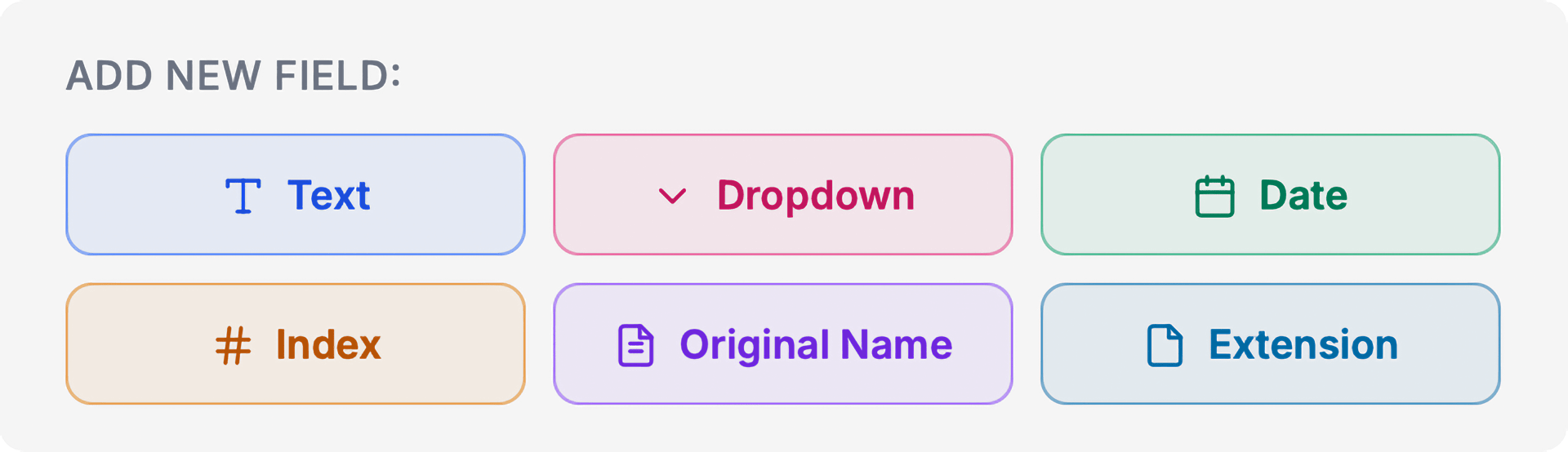
Add fields into the builder to assemble your naming pattern. Reorder, swap separators, and preview the live output as you build.
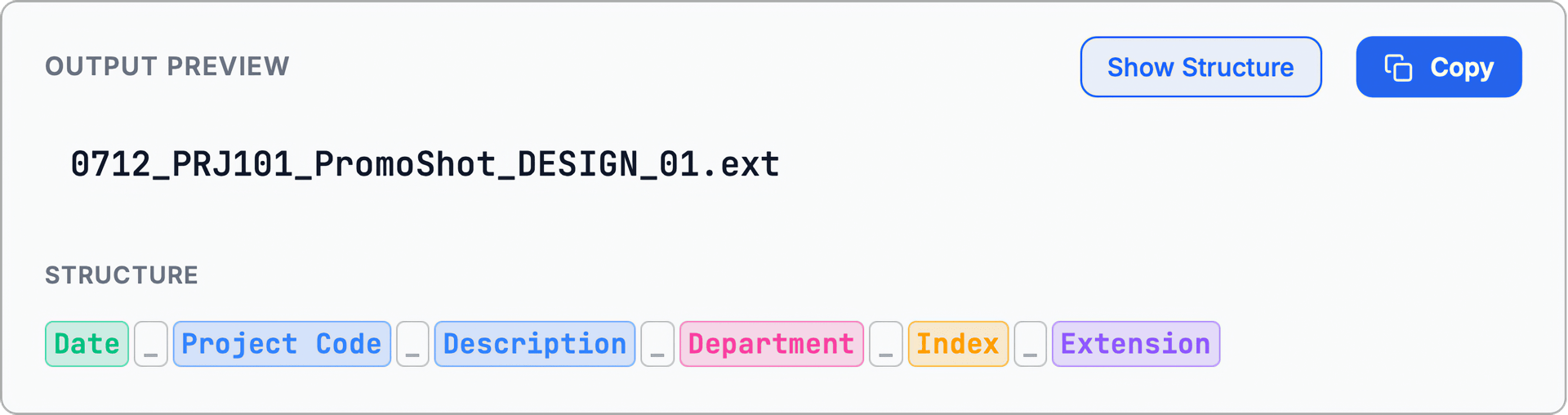
See exactly how your file names will look, so you can adjust your naming structure on the fly without guesswork.
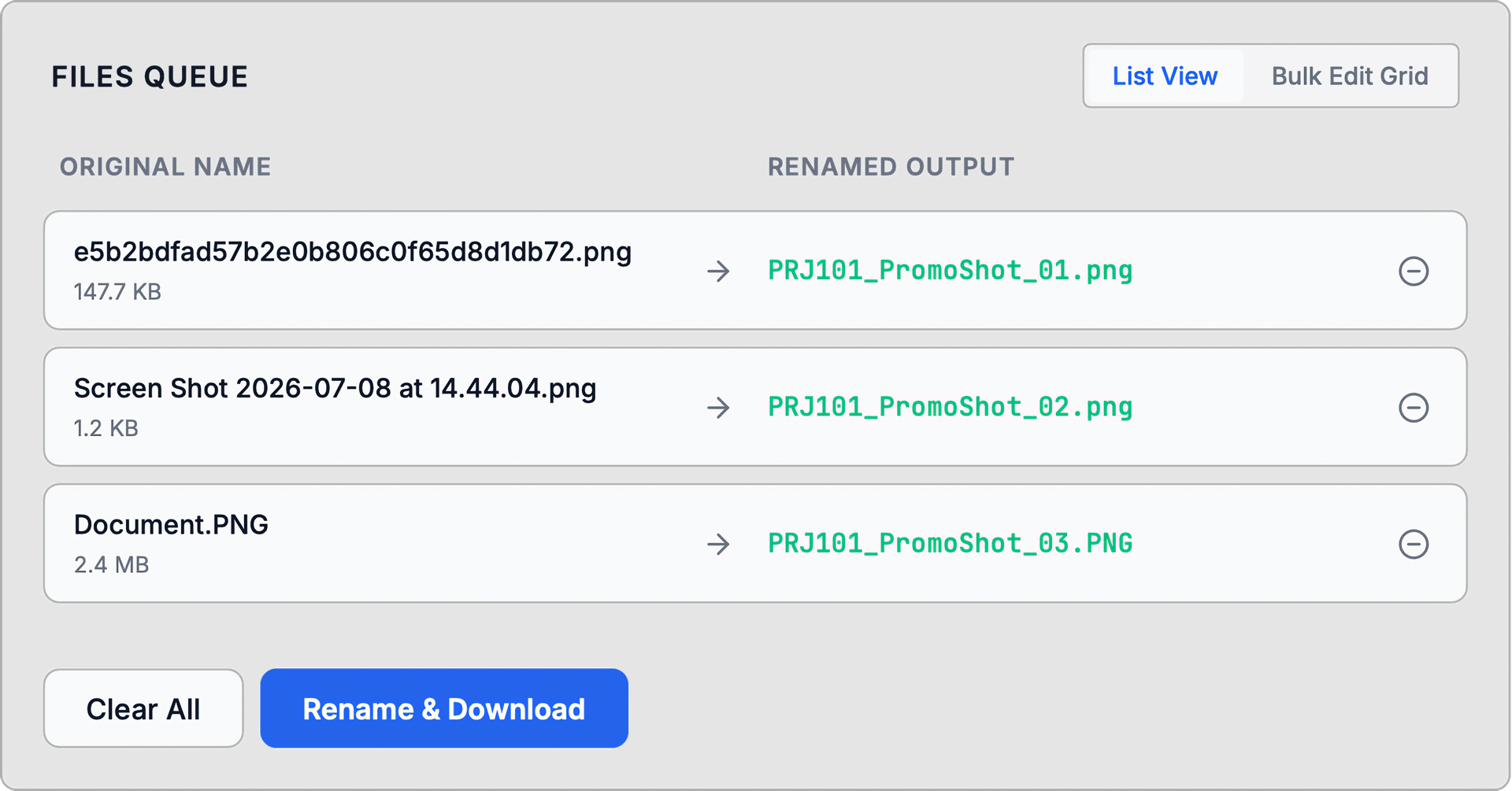
Queue up entire folders of files and preview their new names side-by-side. Jump into Bulk Edit for per-file control.
FileNamer adapts to how your team already works, whether you are managing media production sets or running data pipelines.
Everything happens locally in your browser. FileNamer never uploads your files or filenames to any server — no cloud storage, no third-party processing. Your data stays on your device, which means your naming patterns, file contents, and metadata remain completely private by design. You can even use FileNamer offline once the page has loaded.
Yes. FileNamer lets you export any naming pattern as a shareable template file. Your team can import it directly — no account or sync service required. Templates are saved locally and are always just a click away.
FileNamer works with any file type — images, video, audio, documents, archives, code files, and everything in between. Because it runs entirely in the browser, it is platform-agnostic: macOS, Windows, Linux, and ChromeOS are all fully supported without installing anything. The only requirement is a modern browser.